OpusClip vs Kairell: an on-device alternative that explains every clip
Both turn a long video into short, captioned vertical clips. The difference is where the work happens and how much you're told about each pick. OpusClip processes your upload in the cloud. Kairell finds the moment on your own Mac or in Chrome, and tells you why each clip made the cut.
Updated November 18, 2026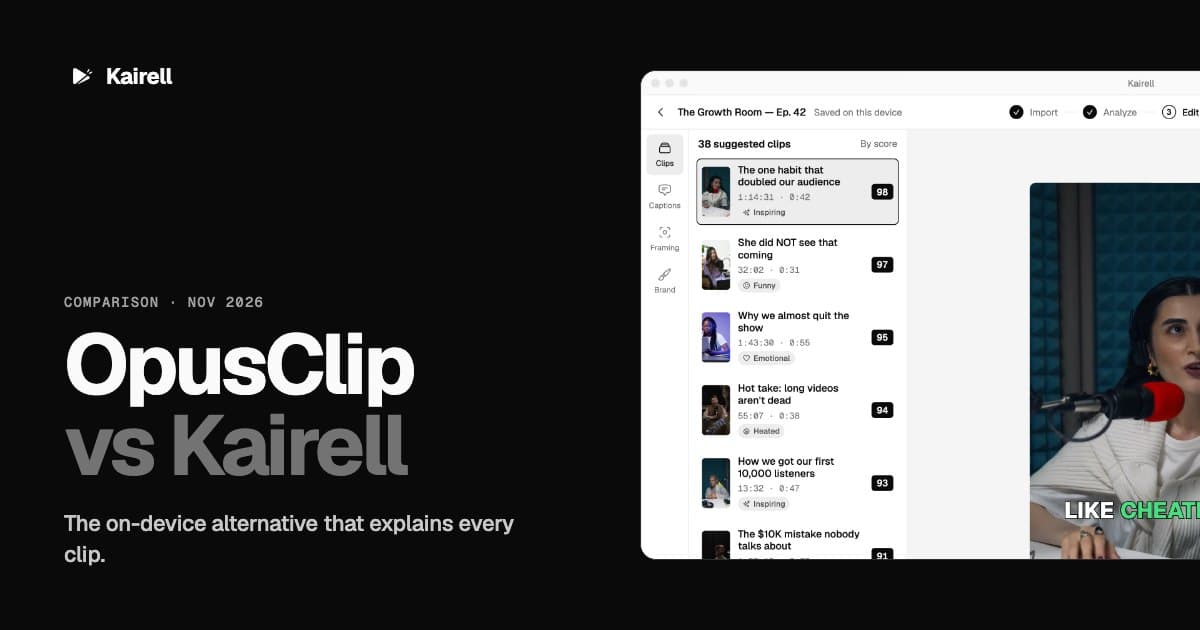
Pick Kairell if you want your footage to stay on your device, a clear reason behind every clip, and a lower starting price. Pick OpusClip if you mainly want cloud extras like AI B-roll and built-in social scheduling.
OpusClip vs Kairell at a glance
| Kairell | OpusClip | |
|---|---|---|
| Where your video is processed | On your Mac or in Chrome. Nothing is uploaded to find clips | Uploaded to OpusClip's cloud |
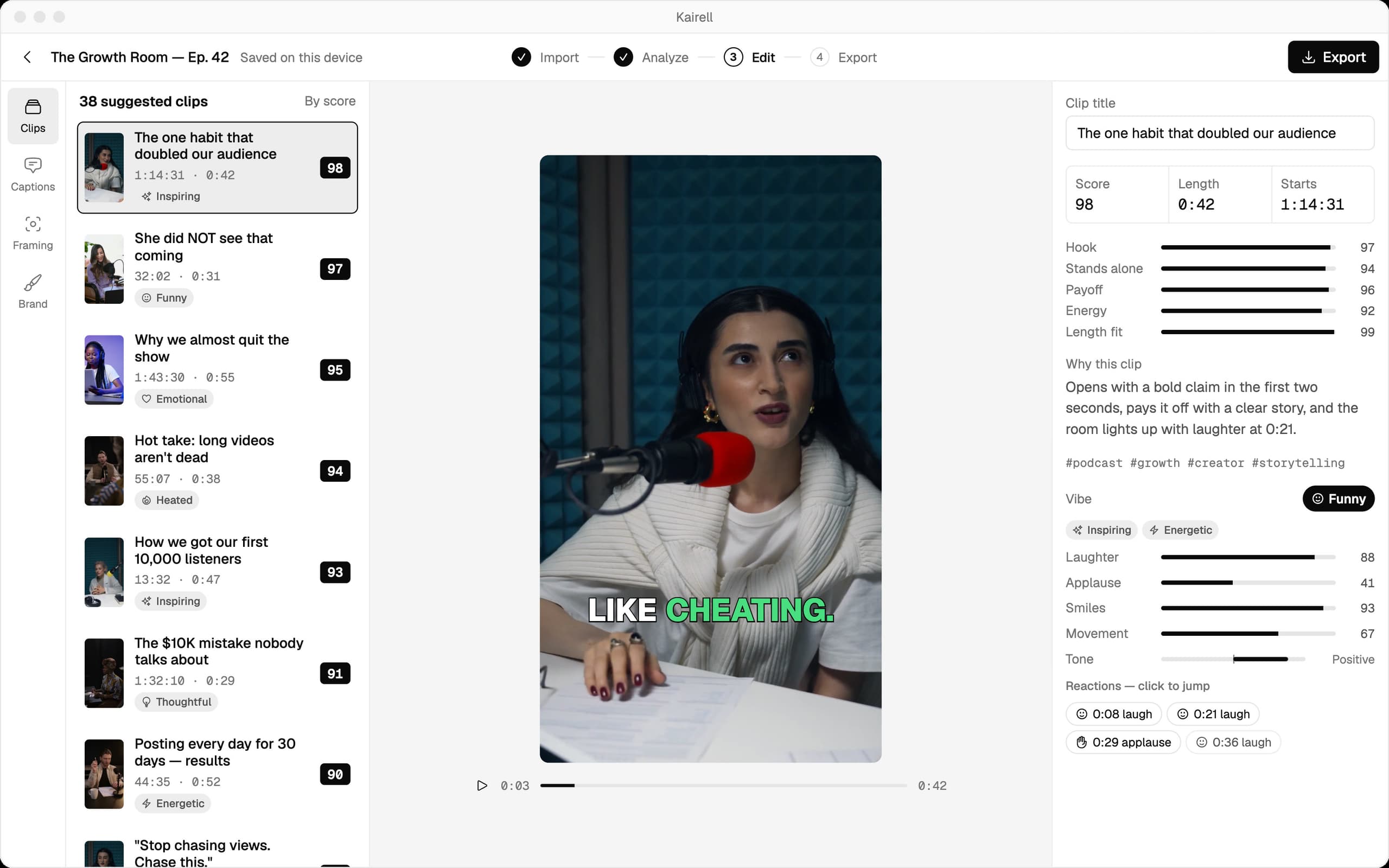
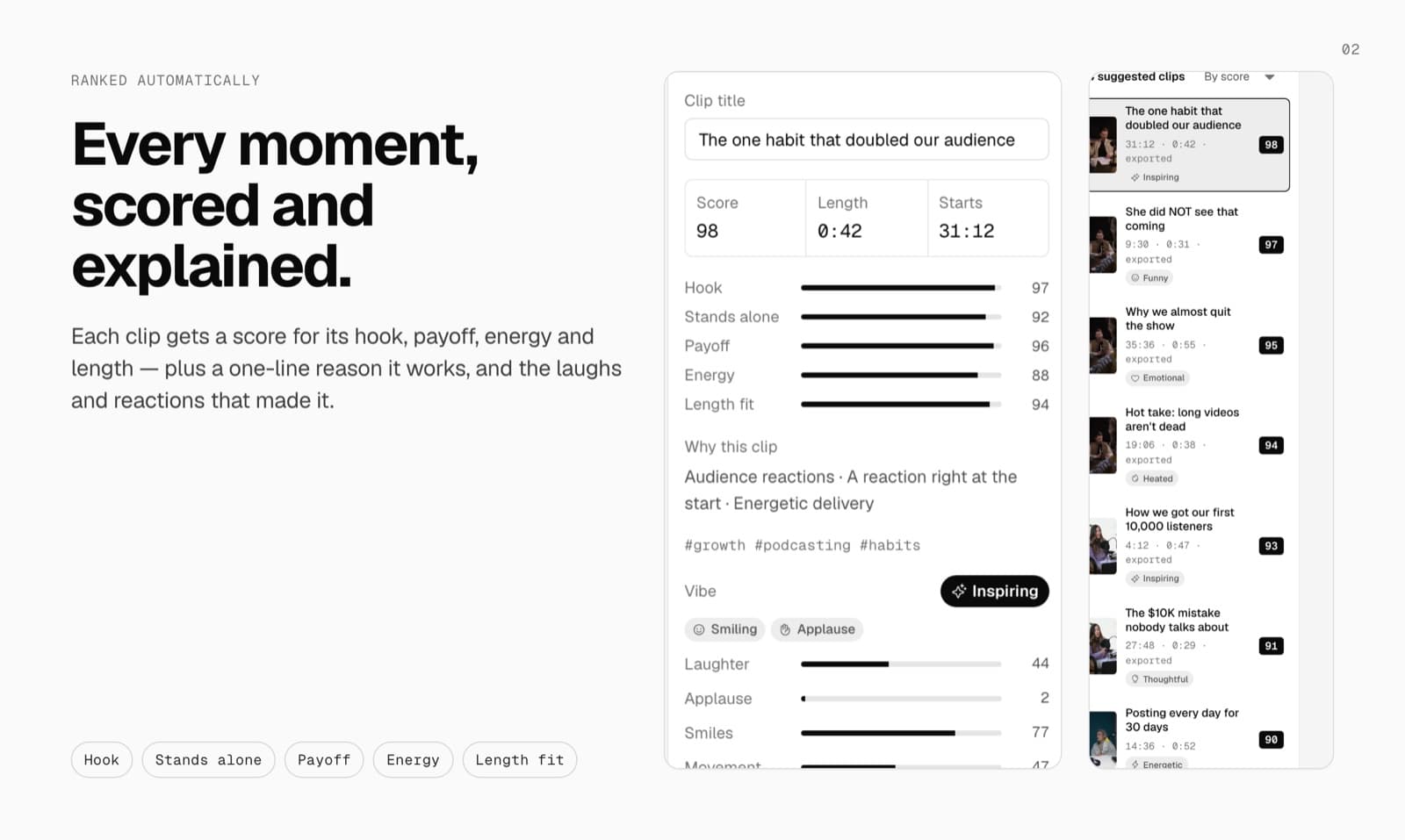
| Why a clip was picked | Score for hook, stands alone, payoff, energy and length, plus a one-line reason | A virality score per clip |
| Speaker framing | Crop follows whoever is talking | Auto reframe |
| Captions | Word by word, 6 styles, 25 languages, brand fonts | Animated caption templates |
| Long videos | Hours-long videos, read from your disk | Uploads up to 10 GB (30 GB on Pro) |
| Free plan | $0: 3 projects and 15 exports a month, 720p, small watermark | $0, watermarked, up to 1080p |
| Paid plans | From $9/month (Starter), no watermark | From $15/month (Starter), Pro $29/month |
| Max export | 1080p on Starter, 4K on Pro | 1080p on Free; higher on paid plans |
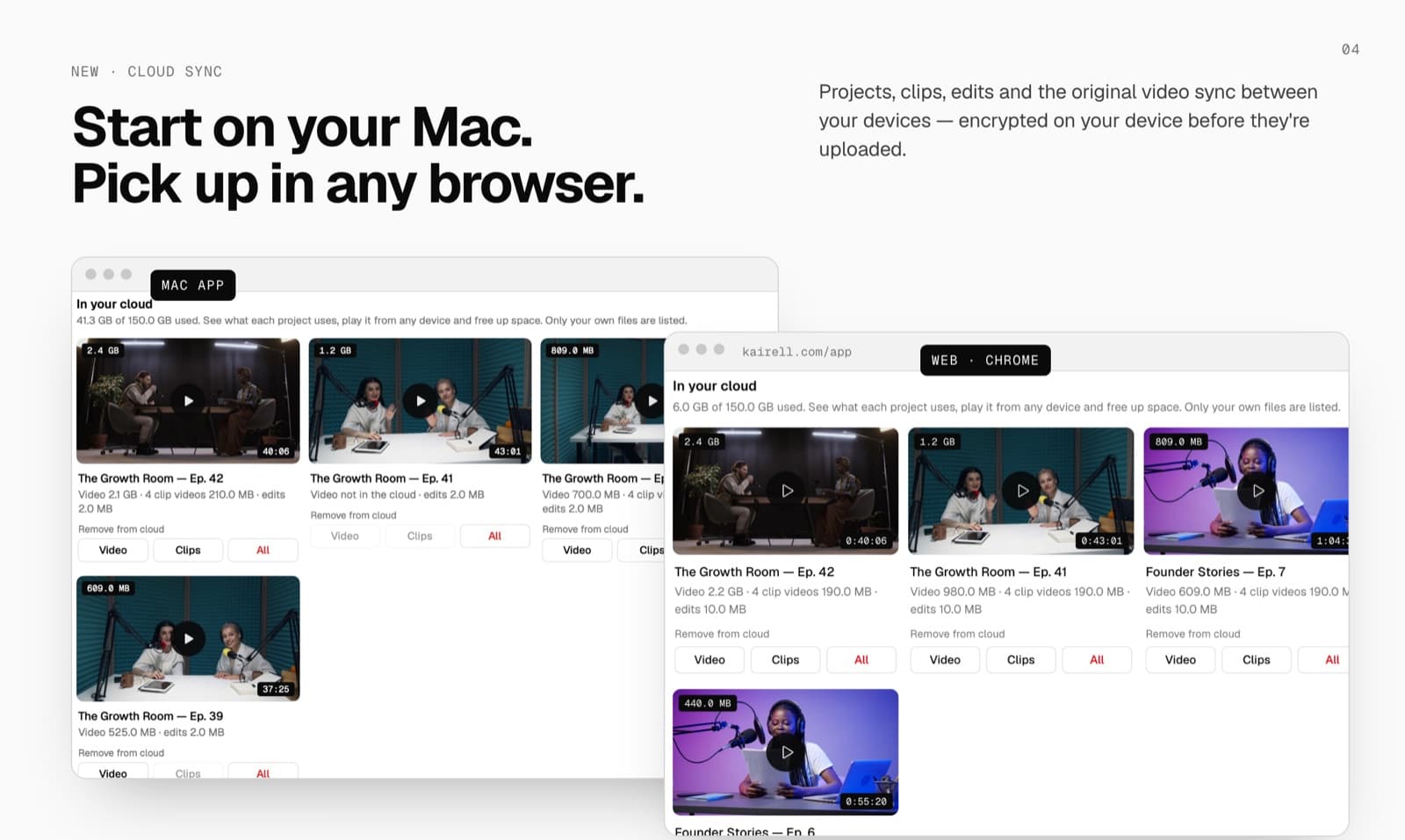
| Works across devices | Mac ↔ web on paid plans, encrypted on your device before upload | Web app, projects stored in their cloud |
| Apps | Mac app + web app (Chrome or Edge) | Web app |
OpusClip details are from its pricing page, checked on November 18, 2026. Prices and features change, so check before you buy. Product names are trademarks of their owners. Kairell isn't affiliated with them.
Why creators pick Kairell over OpusClip
Your footage stays with you
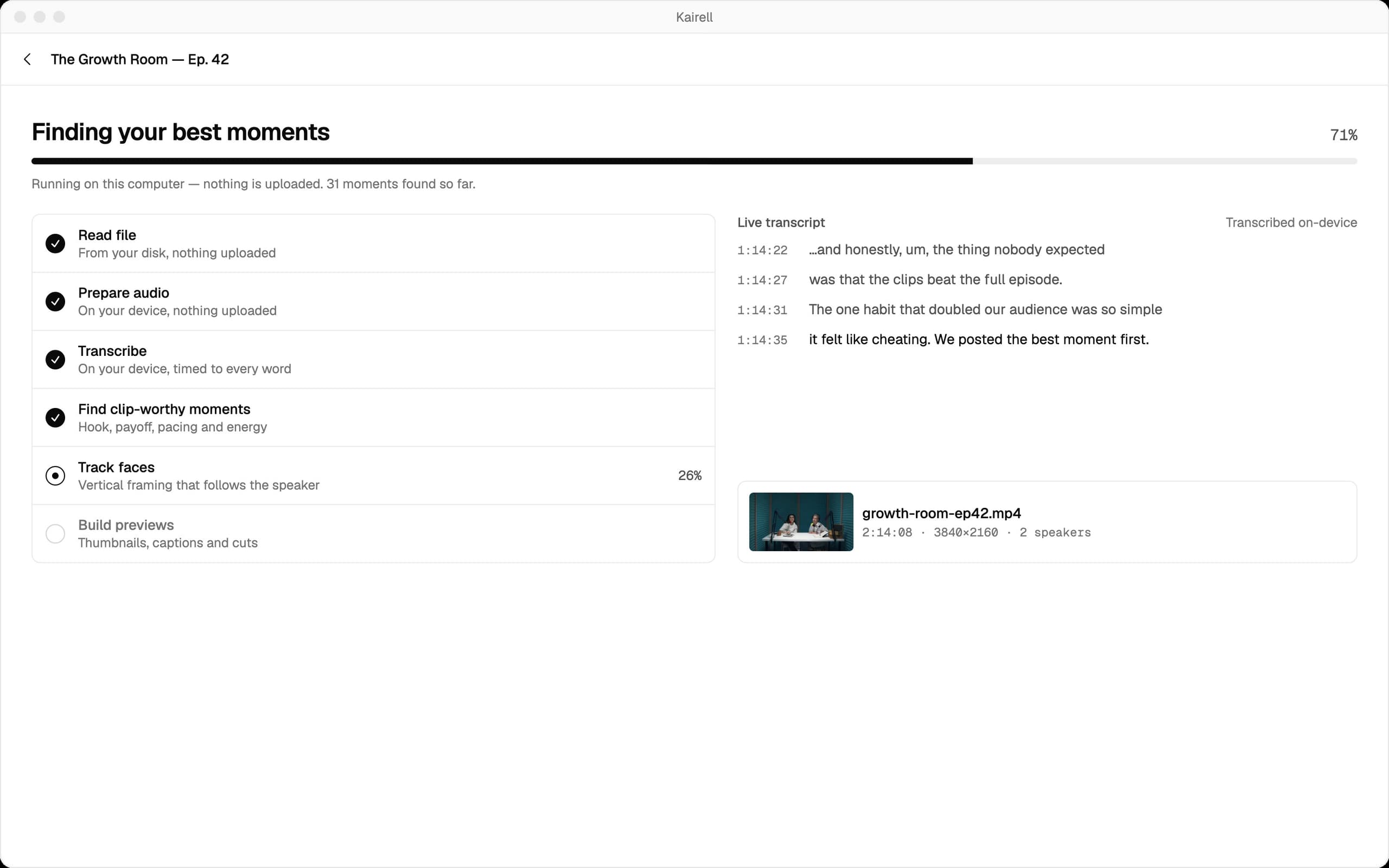
Kairell reads the file straight from your disk and does the transcription, scoring and framing on your own hardware. Unreleased episodes, client interviews and private streams never have to leave your machine to get clipped.
Every clip comes with a reason
Instead of a single number, each clip shows how it did on hook, stands alone, payoff, energy and length, plus one line saying why it works. You can decide in seconds which ones to post.
No wait for an upload
A two-hour 4K episode can be many gigabytes. With Kairell there's no upload step before the work starts, so you're looking at ranked moments sooner.
Lower starting price
Kairell Starter is $9/month with no watermark, scores and speaker framing. OpusClip's Starter is $15/month.
What Kairell looks like
When OpusClip might suit you better
OpusClip is a cloud AI clipping service. It can be the better fit if:
- You want AI-generated B-roll and AI voice-overs inside the clipping tool.
- You want to schedule posts to social accounts from the same app.
- You're happy to upload your footage and prefer not to install or run anything locally.
Pricing compared
Free: $0 with 3 projects and 15 exports a month. Starter $9/month (15 projects, 1080p, no watermark, scores and speaker framing). Creator $19, Pro $39 (4K), Studio $79 (unlimited projects). Yearly saves about 20%.
Free: $0 with a watermark, up to 1080p. Starter $15/month. Pro $29/month. Business: custom pricing.
Questions
Is Kairell a good OpusClip alternative?
Yes, if you want the same outcome (ranked, captioned 9:16 clips from a long video) without uploading your footage to find them. Kairell does the work on your Mac or in Chrome, explains each pick and starts at $9/month.
Does Kairell upload my video?
Not to find your clips. Kairell transcribes, scores and frames your video on your own Mac or in your Chrome tab. On paid plans you can choose to sync projects between devices; that copy is encrypted on your device before it's uploaded. On the free plan nothing is ever uploaded.
Is Kairell cheaper than OpusClip?
Kairell's paid plans start at $9/month, against $15/month for OpusClip Starter. Both have a free plan with a watermark.
Can I try Kairell free?
Yes. The free plan gives you 3 projects and 15 exports a month with no card needed.
Drop in hours of video. Get the minutes that matter.
Free to start, no card needed. Works on your Mac or in Chrome.